Tuesday, 12 January 2016

Day 37 - Persuasion


If you use an iPad as a tool for learning  you'll be more intelligent, fashionable and the envy of all your friends! 

The Bronze Age was the context, persuasive writing the LO and digital literacy skills were being honed in design. The cross curricular task meant that the Year 3 & 4 students applied themselves brilliantly and equipped themselves to approach each element with renewed enthusiasm. 

What did I use in the classroom today ? 

1) Popplet  to allow the students to magpie and collect their tailored phrases, giving the students chance to collaborate and discuss the various options. The quality of the talk when the students were deciding on their persuasive word options was encouraging.

The finished advert was made in Book Creator or Pic Wall having gained additional resource images from the British Museum, posted on Showbie. 


The task was a success for three reasons 
1- the students were self motivated and took the opportunity to personalise their learning.
2- ability was overshadowed by the collaboration and discussions that took place between pupils'
3- the task was completed in the 50 minute lesson time, Shared back to Showbie and marked. 

The vertically grouped class of 33 year 3 and 4 pupils, using the iPad gives them the freedom to express themselves . Their creativity is key, they are willing to take risks with their learning. They seem to really look forward to extending their skills and never fail to smoke throughout the lesson. 

Teaching with iPad has transformed my teaching and the way the students react to me, this is mirrored in their achievements. They are proud of their work and can't wait to share their efforts with others. 


Monday, 11 January 2016

Day 36 - more than one way to skin a cat.

There's always more than one way to skin a cat...a strange saying that I've never been sure of its relevance, until today.

What did I use in the classroom today? 

1) Showbie, to outline the task and post scaffolded resources. PDF MARKER 

2) Puppet Pals 2 

3) Type Drawing

4) Book Creator - compliation of final cut  

5) Camera on video mode with blank screen and 

6) iMovie for visual edit with recorded voice overs. 

7)  Airdrop to collect and collate the different media files simply and quickly.  


The task was ordinary enough... recite a poem. The LO ( learning objective) driven by the success criteria was to recite the poem using some of the following techniques;
- Clear voice
- Expressive reading
- slower pace
- actions
- facial expressions

The group task meant that the 24 verses of Charles Causley's Ballad of Charlotte Dymond  - was split into 6 parts. So four a verses each. The sixth group of students were given a quick demo of  Puppet Pals 2 and told to illustrate four verses using the spoken lines and the characters from the poem. Happily they set about telling their version of events through animation. Secure in the knowledge that their discoveries would have to inform a group of their peers. Passing on the baton of skills always focuses the mind and ensures maximum concentration with a raised level of understanding. 

Whilst the groups rehearsed and learnt their lines off by heart in the twenty minute limited task, it was fascinating to see how the students approached their challenge. Many just learnt by rote walking around in small circles like caged lions...chanting madly to themselves. A few recorded their voices and played it back, fewer still marked their text to ensure the trickier words were recalled. But when it came to recital time, the students stood tall and performed their parts with confidence. Some had a back up of a TelePrompted script displayed on a friiends iPad. So as a precautionary measure I decided to ask three students to record the recital. 

One using the camera just on a blank screen ( lens covered) 
One using a voice note in Book Creator and the third? This student videoed the group huddled around the voice activation stations. It was a multi media event! 

The final bonus to the whole event was that two of the girls wanted to collate the footage and edit it together...using book creator they mashed the apps together including Type Drawing to emphasise the text - just as the success criteria had determined, but this was a multi sensory/ multi media/ multi faceted approach. iPad in action supporting different leaning styles and approaches. 

The task turned from being teacher led to student determined. It was student led as they saw multi possibilities for the work to appeal to all learners beyond that of my lesson plan. yes it took a few more minutes to complete the final edit, but those who took on the task were happy to fore go play to collaborate with their fellow digital geniuses! 

....so what have I learned? There is definitely more than one way to skin a cat! Technology transformed the classroom into a media room, with different students taking on the persona of editor, proof reader, graphics designer and voice over coaches. A buzz of energy continued through the class and raised the confidence of those who sometimes feel that poetry isn't for them, everyone had something to contribute.


Wednesday, 6 January 2016

Day 35 - Instant results?

It can be frustrating when as a teacher, you don't get to see instant results from the children.  It is often the case that progress is recognise by subsequent teachers. But in this world of instant gratification and access to knowledge via the internet, teaching or should I say results from teaching, is under the spotlight.

It is tempting to provide the class with activities that will satisfy this need for instant success. I like to think by utilising Showbie, the children get the feedback that encourages and guides them to improve which in turn motivates them. Parallel to this is the need to allow the children to experience failure and for them to build up their resilience when working through tasks. Providing tasks that require them to focus and try to master delicate or intricate sub-skills. Today, was one of those days...

Year 5 & 6 are embarking on a course of study all about William Morris, the Victorian designer and artist. The end result of this topic is to produce a Morris inspired design of their own, but with a modern twist but a clear notion of the essence of Morris. Together, their class teacher an I have planned work which will incorporate the skills of digital design required by the computing curriculum.

So what have I used in class today?

1) Popplet - https://itunes.apple.com/gb/app/popplet-lite/id364738549?mt=8 a simple mind mapping app which allows the user to include visual elements as well as written words and links. The mind map based on the ubiquitous and persuasive Google search. Interesting the date of birth of the eminent designer was agreed however the date of death was less clear from the evidence gathered. There lies a lesson in itself! My aim was to add to the Popplet as 'facts' were discovered and as the project developed.

2) Keynote https://itunes.apple.com/gb/app/keynote/id361285480?mt=8 the powerful Apple presentation app is continuously reinventing itself in my classroom as it is so versatile and allows the creativity of the students to be fulfilled to the highest levels. Today, the students were asked to use the Instant alpha function to edit William Morris designs and isolate individual motifs as a basis for their own modern day versions. Although the Mac version allows more controllability the iPad was remarkable effective in picking out the individual leaves and flowers. One the design had been reduced and isolated the class were free to use the flip and rotate options to create a tile of repeating pattern. The following designs are just a few of the students first efforts...I have high hopes for the final designs if this is what can be achieved in the pre-task.


3) Flashcards https://itunes.apple.com/gb/app/flashcards/id478986342?mt=8 - Homophones and Homographs are tricky to get straight in your head, according to the year 5's! Again, it was important that the class felt they had a rapid grasp of the concept. I wanted to make an instant impact on their understanding. So the The task was placed on Showbie, with scaffolded resources and then the class  set off with a dictionary to find the definitions...


...the great thing about this task was the progress in the class and level of understanding tangibly increased when the children began to play the match-it games and took on their peers with the competitive duelling game. An excellent resource and one that got the thumbs up from the whole class. That's what I call instant results! Perhaps my teaching did strike the balance between providing tasks to grapple with and challenge my learners and the instant gratification that keeps them motivated and wanting more!


Tuesday, 5 January 2016

Day 34 - Practice what you preach


My teenage children will testify that my favourite saying is "How do you know you don't like something unless you've tried it?" Followed swiftly by " ...and if you don't like it you don't have to do it again." This has served me well. I try, unless it involves roller coasters, to stick to this myself. Even using this mantra to my professional life too. So when recently I switched from full time teaching to part time with some consultancy, I have re discovered the need to follow through with my beliefs. 

Yesterday, I stood in front of a group of teachers. I would have liked to have said all eager, but I know that some of them were doubting why they needed to spend their time listening to my pitch on the benefits of including mobile technology to enhance both teaching and learning. It's at these times when your authenticity shines through or is exposed. If you truly believe on what you say then it is naturally communicated to your audience. Whether your audience is a group of teachers, governors or a class of year three pupils. 

So today at school I was mindful of my own authenticity, I always reflect on my own performance as it is the last lesson that you taught that should be the benchmark for the next...

What I used in the classroom today : Showbie is a given as it allows me to deliver differentiated resources to my pupils with ease and is flexible enough to deal with the variety of tasks I want to be able to offer. I always use this in conjunction with iTunes U courses. 

1) Explain Everything: the task LO today was for the year 3&4 to recognise the value of the digits in decimals. having started the lesson asking what a decimal was and being greeted by a stony silence, the thought of visualising tenth has, hundredths and thousandths was hanging in the balance. I tentatively went through the visualisation of decimals on a grid. Having opened the PDF in Explain Everything the students were able to show their understanding in a concrete manner using the annotation tools. After twenty minutes, the students were confidently identifying decimals in visual and written form, switching between place value and money to put the work into context. 


This shows the tentative steps taken by a reasonably confident mathematician. The following screen shot is from a student with  specific fine motor skills. You can clearly see the difficulty caused by the scale of the work. However, mathematically he has gained the correct knowledge. He went on to complete the same task showing the improvement in a very short time within the lesson. 


The iPad allowed the student to feel the difference between the decimals and this element and the ability to have a go and be resilient meant that in the end the concept was understood even with physical difficulties. 

2)  iMovie Trailier -  in English comprehension is a key element that needs to be a cornerstone of the skills taught. Using a resource from the incredibly creative and inspirational Literacy Shed - Little Boat struck me as the ideal foil for the students to edit and select, as a director would, the images to tell a short story. Using a template allows those less confident to structure their work in order for them to be guided and achieve highly. 

The trailers were formed from screen shots that were edited in photos, cropped and enhanced to achieve the best effect.  The finished trailers were ven more valued as they were the result of a collaboration/ mentoring of a year 3 with a year 4 student. 


Thursday, 10 December 2015

Day 33 - Debugging the system

The more I teach the computing curriculum the more evident its relevance is. A great deal of the day to day normal daily routines that we unthinkingly carry out are based on following instructions. We are creatures of habit, programmed to timetables, specific ways of speaking or explaining a concept even down to the way we make a cup of tea. Rarely do we break the expected outcomes and debug our own systems. 

What have I used in the classsroom today? 

The year 1's have been enjoying computing building their knowledge of beebot and giving unambiguous instructions. Moving on to creating programs with a string of instructions for the beebot to successfully navigate a flower bed. Issues here were on visualising the direction of turn. So armed with a card bee that was used to make the movement more concrete for those struggling to orientate their pathways...year 1 were able to move onto complex strings of instructions, confidently able to identify problems when they occurred. Deleting and debugging efficiently. 

Debugging a program is tricky for the little ones to appreciate as everything they do is always correct- right? Even if they didn't quite mean to tap the forward arrow three times instead of two! The battery operated beebot were useful in showing the errors as the app can be sensitive to small fingers and not always work consistently  in making a reassuring 'click' in the correct place! 

Undeterred by small set backs, year 1 were challenged to have a go at the excellent www.naace.co.uk  site where they could control the U.N.I.T robot both on PC and iPad. 


This endearing robot enabled the children to apply the same skills they had with  Beebot  but this time allow for a degree of choice. Let's face it, variety is important and being tolerant to others preferences is a worthy life skill. However, when it comes to computing, debugging a program needs to be precise and specific. The program gave enough challenge to pose questions to those most able to program but conversely managed to allow mistakes to be highlighted without demoralising the students efforts, 

Debugging can be refreshing and liberating! As a teacher the wonderful "oh I see..." Comment is a sign that the children have total engagement in their task. But deeper than that, the task is in itself relevant and worth persevering at. The skills that underpin the inclusion of mobile technology in the classroom are for me responsible, connected and discerning. The process of debugging allows the students at what ever age to also be resilient and see the relevance of popping balloons with a robot holding a candle! 


Monday, 7 December 2015

Day 32 - Lovely dear - what is it?

An abiding memory of my own art lessons at school were the dreaded phrase " lovely dear but what is it? ". Needless to say I never pursued a career in art but have always felt misunderstood and as a result probably underestimate my artistic talent. 


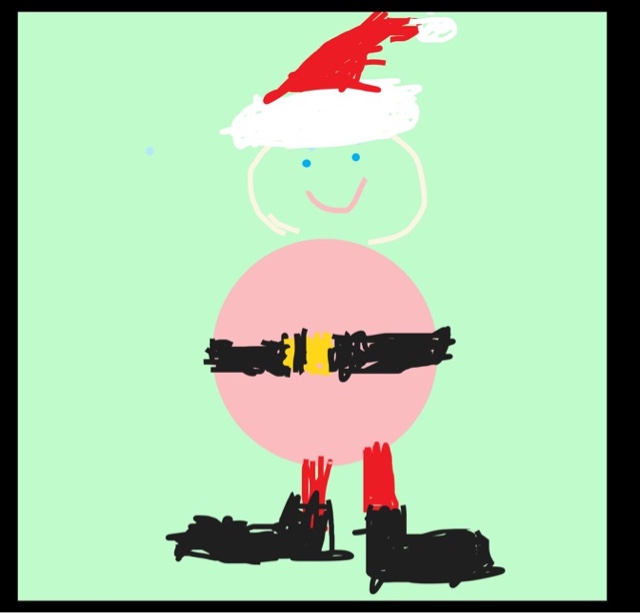
As part of the the computing curriculum children need to have experienced digital design. This Christmas tree was the efforts of a year 3 pupil. The brief was to design a tile that could be repeated and create a piece of wrapping paper. The initial discussions centred around appropriate motifs and colour schemes. Then of course one or two children going pale at the thought of drawing free hand on a tablet without a stilus! The 3/4 class have been extensively working on  this half term and I wanted to reinforce their skills by using this as a medium for their art work. By using the shapes even the most artistically challenged child could drag out a square and add a bow! In fact the children were much more creative than I initially credited them with. The obligatory (ice) block of snowmen appeared as it featured in the example, rescued many a creatively inexperienced artist. The class were eager to try and the limited paint features matched the task perfectly, and the time limit! 


After a short while, the children started to broaden their minds and opened up to the possibility of adding their own quirky touches. The idea was to experiment with the possibilities not just settle for that's ok or will do. 


The children are used to sketching and doodling, and some times produce the most amazing creations, naive but charming and full of character! 


For a first submission these designs have promise, when repeated they could work effectively. This stage will be undertaken when the first comments are taken on board. Perhaps colours could be experimented with or the text made bold and repeated multiple times? My teacher feedback given on Showbie will inform their second attempt which drives the improvements and self esteem. 

The next app that the children are going to be introduced to is Keynote , so I wanted to ease them into the new app by getting them to use the skills they already have mastered. Adding a photo from the photos and editing it. Keynote will allow them to experiment with angles and size without losing their way in a never ending set of options. Sometimes we need to see an app in a different light in order to open up that it doesn't just do one job, like only make presentations! 


Tuesday, 1 December 2015

Day 31 - Feedback


Part of the learning process is learning from mistakes and the teacher can enable the learner to effectively move forward if the mistakes they have made are highlighted in a positive way. I'm always in search of opportunities to give individual feedback to students as it's only through the teacher connecting with each of her or his pupils that progress can be made. Having said that sometimes group activities and therefore global comments can enable learners to feel they are moving on with their peers. I use Showbie as a file sharing app because it is a very simple, effective and versatile way to give feedback.


Today I used the fabulous website www.echalk.co.uk which needs a subscription but is invaluable for excellent resources especially for numeracy and literacy. It also is iPad compatible which is an added bonus! I set the tasks up on Showbie to allow a tap and go with the tasks, wasting no time in getting straight into the task. With the Christsmas play rehearsal taking up time today, ithis feature was invaluable. The students had autonomy as they could set their own level of chilli challenge and get to feel responsible for their work. This always raises self esteem. The completed work was shared effortlessly back to their folder in Showbie through the open in another app feature. I was then able to give feedback in a variety of ways to suit the type of comment or the students needs.  Verbal through a voice note, written for clarity and drawn to illustrate a point. 


Finally, the voice note giving a personalised feedback to alert the pupil to the next step that they need to take can be added in seconds and uploaded simply. The ongoing dialogue between teacher and pupil builds a special relationship, one that I believe encourages the pupil to feel important and to create a honest conversation which can come into its own when the pupil is having difficulty. It's at these occasions when the pupil has to believe in their teacher and rely on their professional guidance.